
Page Sections
The Page Sections area allows you to build page layouts by adding, configuring, reordering, and removing content sections. Each section represents a block of content displayed on the page.
Watch the video below to learn how to add, reorder, and remove sections using the Page Manager.
Video Tutorial

- Add New - By using the [+] icon, you can add a new section directly below the current section.
- Click to Tune - By clicking Drag Icon, you can access the tuning options for the section, such as moving it up or down or deleting the section.
- Show/Hide - Using this switch, you can show or hide the section. Once hidden, the section will not be displayed on the website.
When you click on Import button, two options will appear, as shown below.

This option allows you import a page from pre-made templates or upload an exported file. Clicking the Import Template button opens a modal, as shown in the image below, where you can choose a pre-made template or upload an exported template.
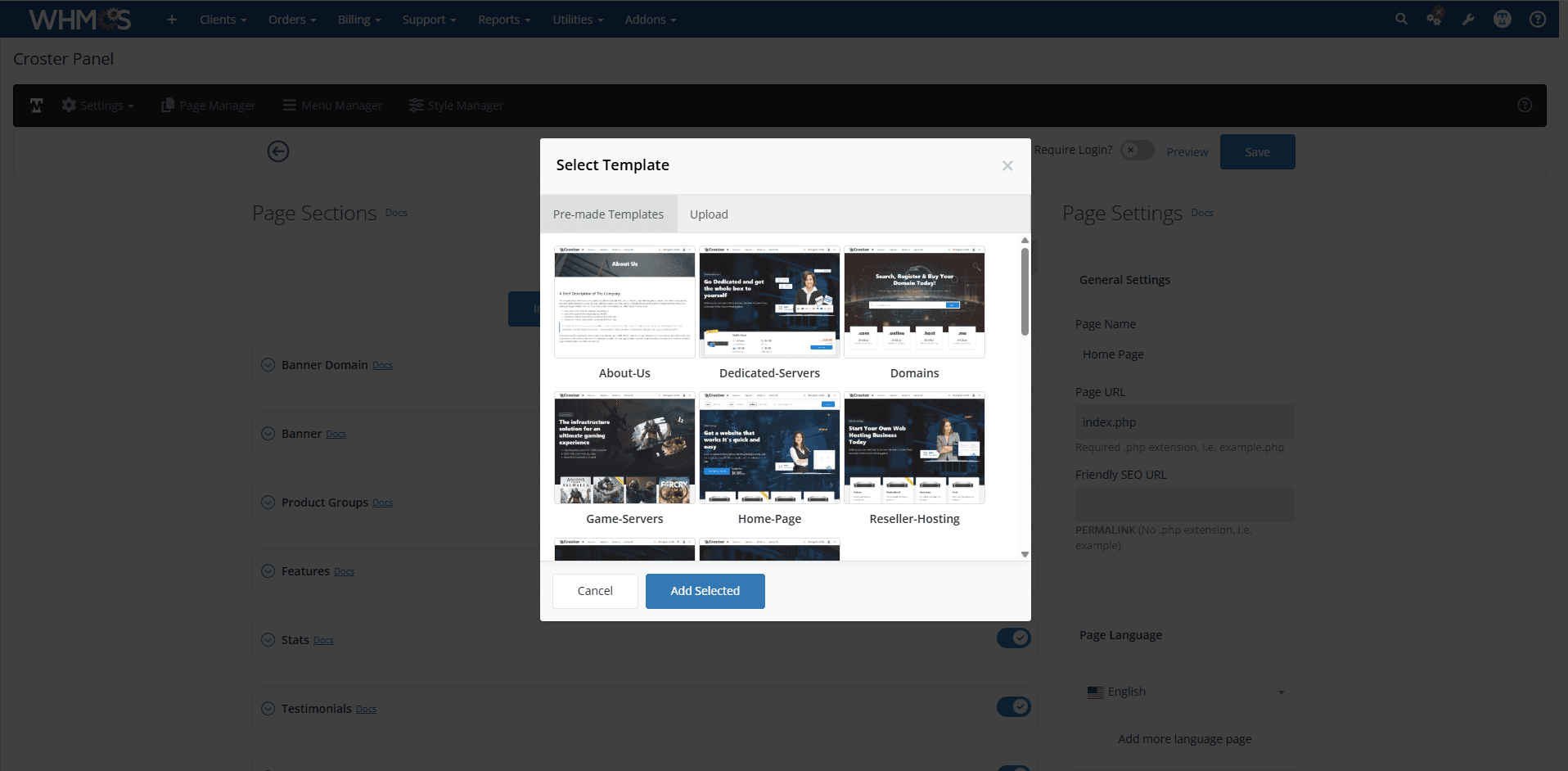
This option allows you to upload your exported section to any page. Importing sections will not replace your current sections on the page. Please import only a single section at a time, as the imported section will be added at the end of all existing sections.
When you click on Export button, two options will appear, as shown below.

This option allows you to export a page as a template, which you can use anytime on any page. Clicking the Export Page button opens a dialog, as shown in the image below, prompting you to enter the file name for the page you want to save.
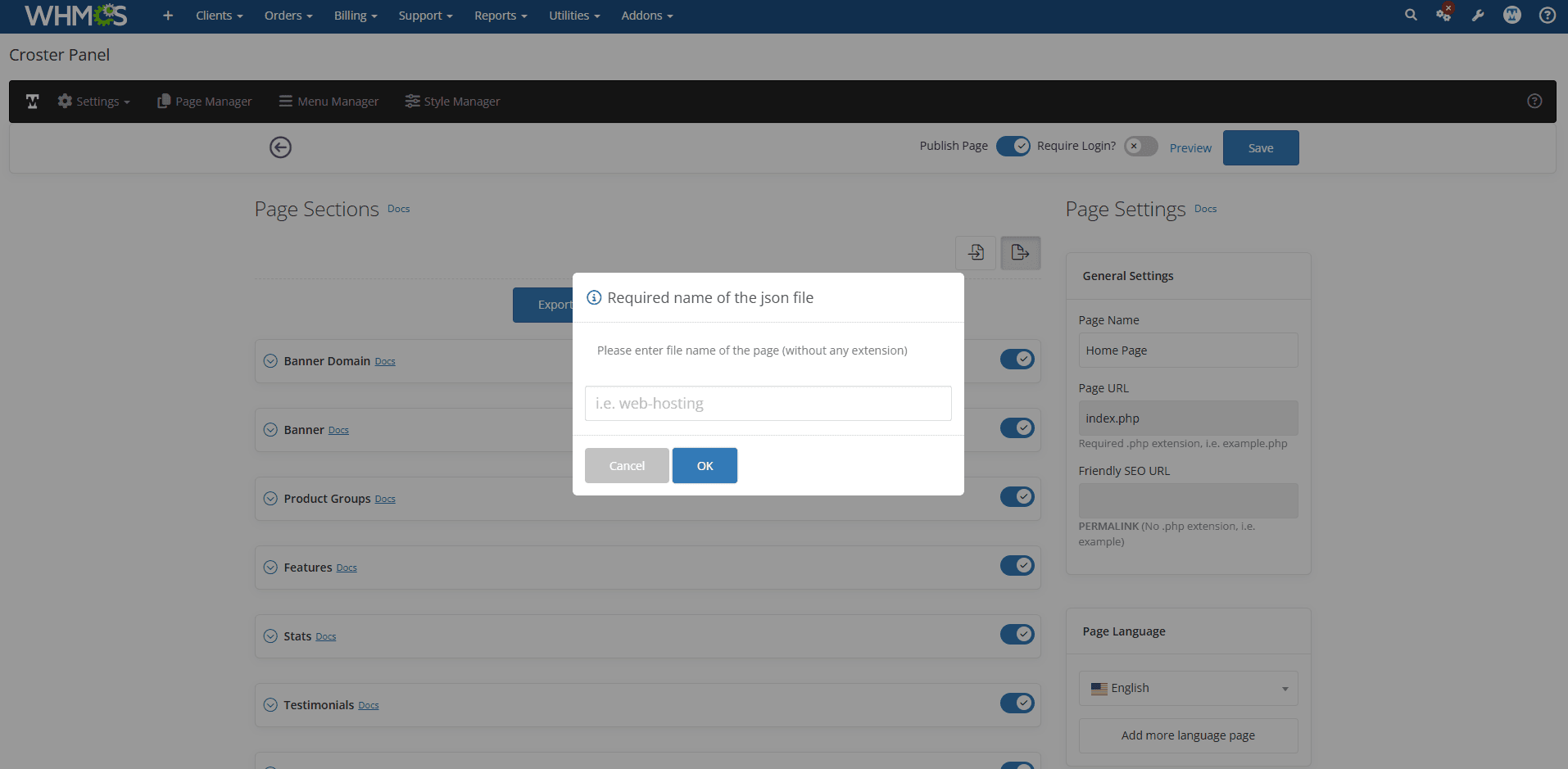
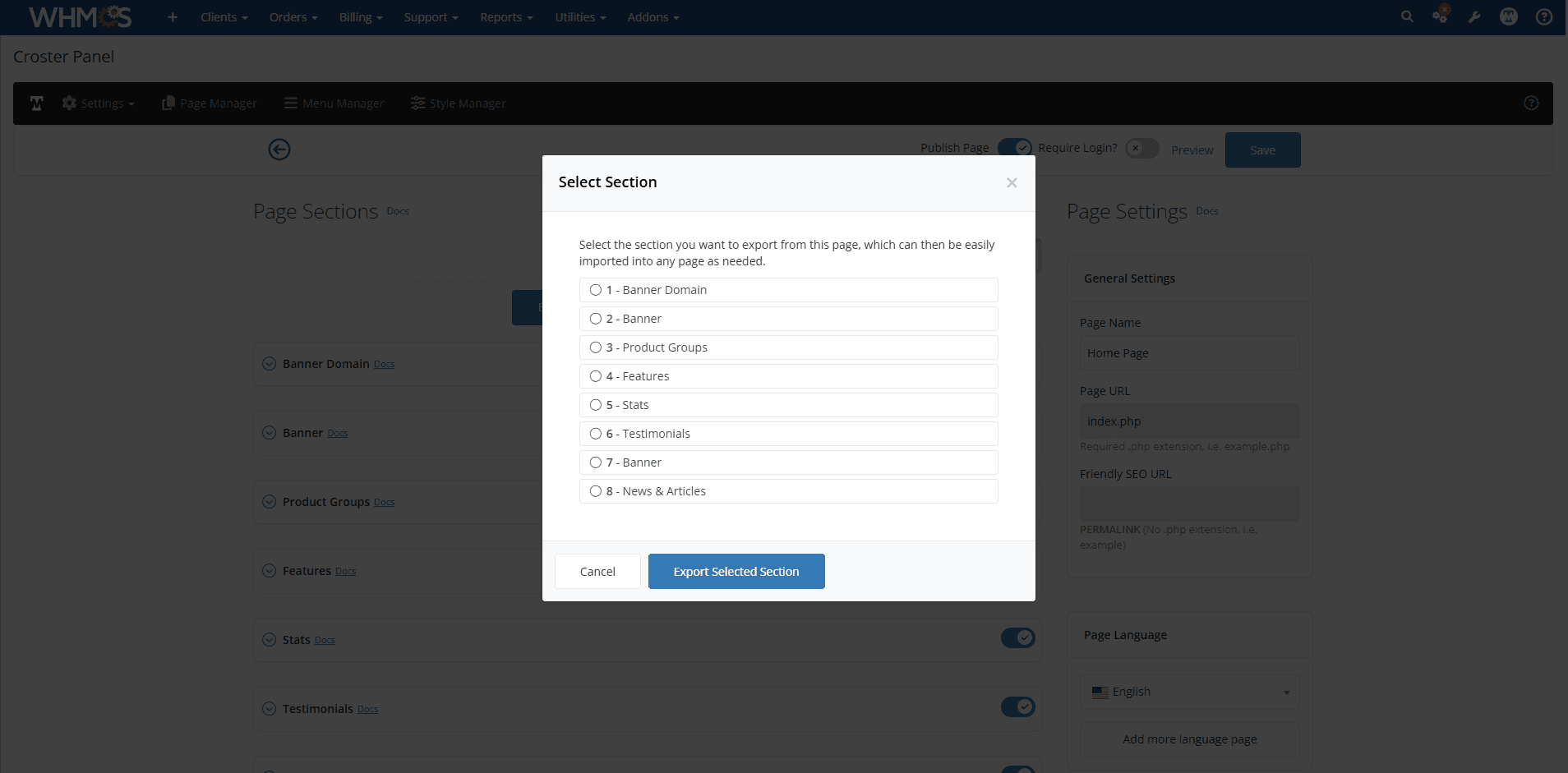
Export section button allows you to export any section as a backup or for reuse on other pages. When you click the Export Section button, a dialog will appear where you can select the section you want to export. After selecting a section, another dialog will open, prompting you to enter a file name for the export. Once completed, the section will be downloaded as a file that can later be imported into another page.
Replacing by New
- Key Features
- VPS Hosting Plans
- Dedicated Server Plans
Coming Soon
- Legal
- Location Map
- Timeline