SEO Tools
Croster includes a Sitemap wizard to easily generate an XML sitemap for your website, The Sitemap Wizard helps you quickly create and manage a sitemap for your website. A sitemap improves search engine indexing by providing search engines with a structured list of your site's pages and information about their importance and update frequency.

When you click the Sitemap Wizard button, a configuration modal opens, as shown below. The wizard guides you through the sitemap creation process step-by-step, allowing you to select pages, configure priorities and change frequencies, add custom links, and generate the final sitemap.xml
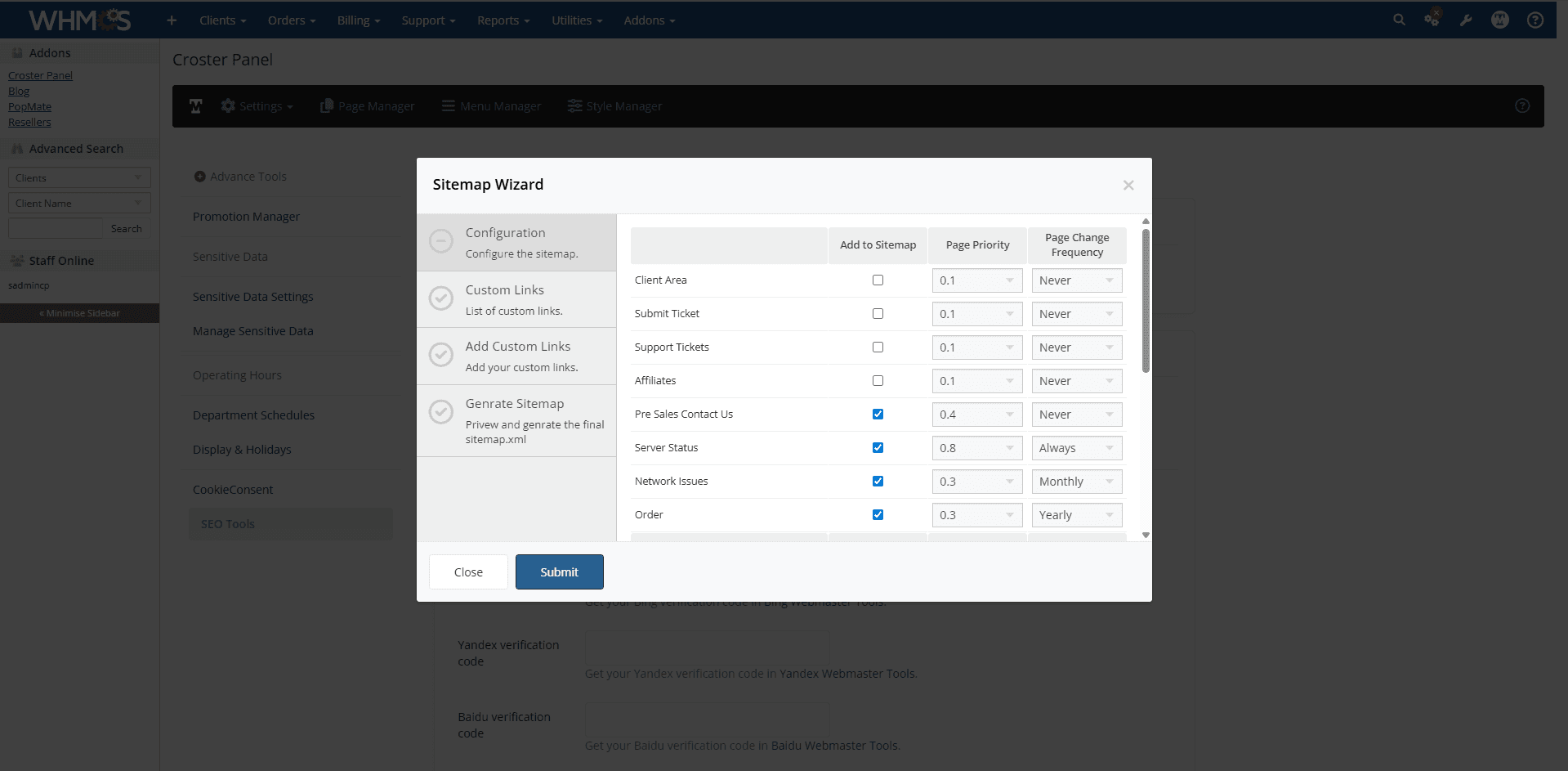
The Configuration step prepares the sitemap generation process and loads all available pages from your website and client area.
The Custom Links step displays a list of all custom links that have been added to the sitemap. Review the list and remove any links that you do not want to include in the generated sitemap before proceeding to the next step.
The Add Custom Links step allows you to manually add URLs that are not automatically detected by Croster.
For each custom URL, you can configure:
- Link URL – The full URL to include in the sitemap.
- Page Priority – The importance of the page relative to other pages.
- Page Change Frequency – How often the page content is expected to change.
- Page Last Modified – The date the page was last updated.
This feature is useful for including:
- Custom landing pages
- External content pages
- Promotional pages
- Manually created website sections
After entering the required information, click Submit to proceed.
The Generate Sitemap step displays a preview of all sitemap entries, including automatically detected pages and any custom links you have added. Once you have verified the sitemap contents, click Generate Sitemap to create the final sitemap.xml
The generated sitemap can then be submitted to search engines such as Google, Bing, Yandex, and Baidu to help improve website indexing and search visibility.
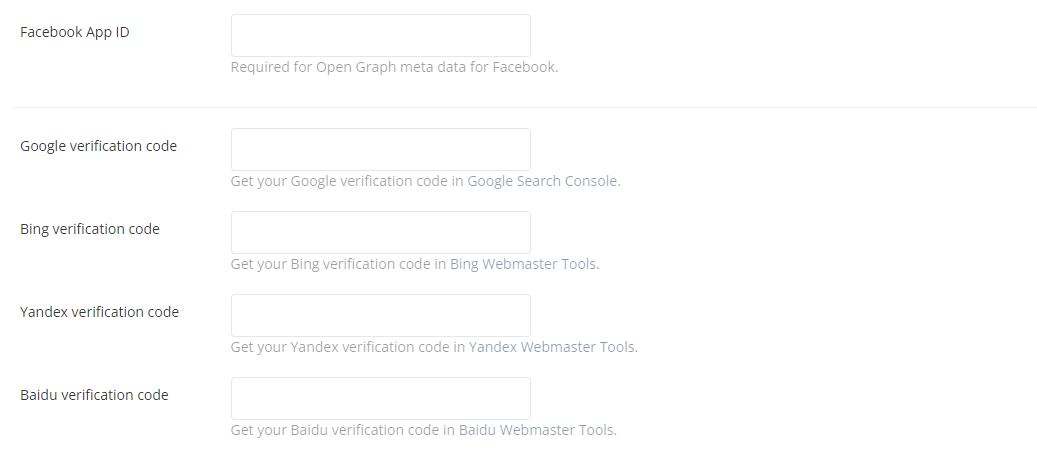
In the input fields below, you can add your Facebook App ID, which is required for Open Graph information on Facebook, as well as any other search engine webmaster tools IDs.
When you enable below option, the origination information is included in Google Schema format for your website.



When you enable the option below, the address options will appear.


When you enable the option below, the Social media links options will appear.